Service
Setup
- In Encompass
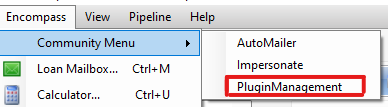
- Click on the Settings Menu
- Expand the Community Menu
- Click on PluginManagement
- Select SideMenu from the plugin dropdown list
- Click on the Configuration button to launch the SideMenu_Form configuration window:
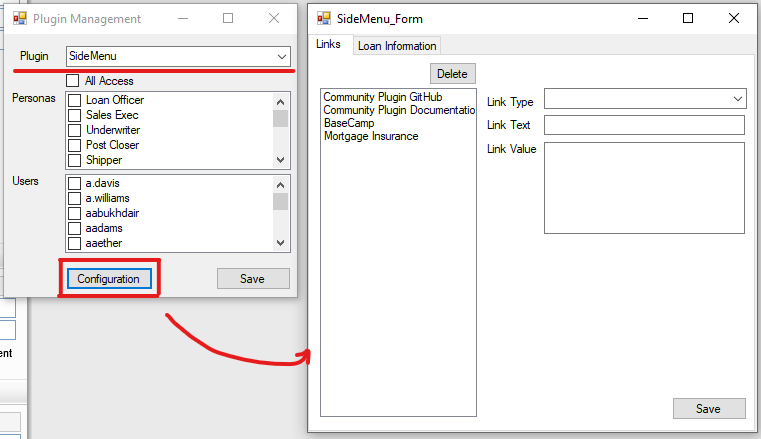
- Set the Link Type to
Service - Name the
Link Textas you would like it to appear in the Side Menu - Set the
Link Valueto the name of the service you want to launch. This functionality utilizes the same method used in the Input Form BuilderDisplayServicesmacro. For more information on the supported services, see the documentation on this macro in the Input Form Builder guide. - Click on the
Savebutton to commit the changes - All users will need to logout and back in to Encompass for the changes to take effect
Usage
- In Encompass with a loan open
- A user with permissions to the Side Menu can now take advantage of the new link in the Side Menu
- With the Side Menu expanded
- Click the service previously configured
- If a valid service name was set in step #9 above, the service will launch